Compare
ReportRoom vs DocSend
DocSend (a Dropbox company) is the incumbent for tracked document links: upload a PDF, share a link, see who read it and for how long. ReportRoom solves the same "who actually read my document?" problem a different way — your content becomes a designed live web page (not a PDF in a viewer), published by you or your AI agent in one API/MCP call, with view analytics on every plan including Free. They overlap on the job, and differ on almost every mechanic — this page walks through the real differences, including the ones where DocSend is stronger.
- Pick ReportRoom for tracked web documents, agent publishing, and $59 data rooms.
- Pick DocSend for as-is PDF sharing with per-page time analytics and e-signature.
- Biggest gap: DocSend has no free plan and no public API; its data rooms cost 3× more.
Choose ReportRoom if…
- You want a free tier — 10 live tracked documents at $0 (DocSend has no free plan, only a 14-day trial).
- Flat pricing matters: $9.99/mo total on Pro vs DocSend's per-user pricing on every tier.
- You need lightweight data rooms without enterprise pricing — $59/mo with 3 seats included vs $180/mo plus $90 per additional seat.
- Your documents are produced by AI agents or pipelines — DocSend has no public API (automation is limited to Zapier triggers); ReportRoom is API/MCP-first on every plan.
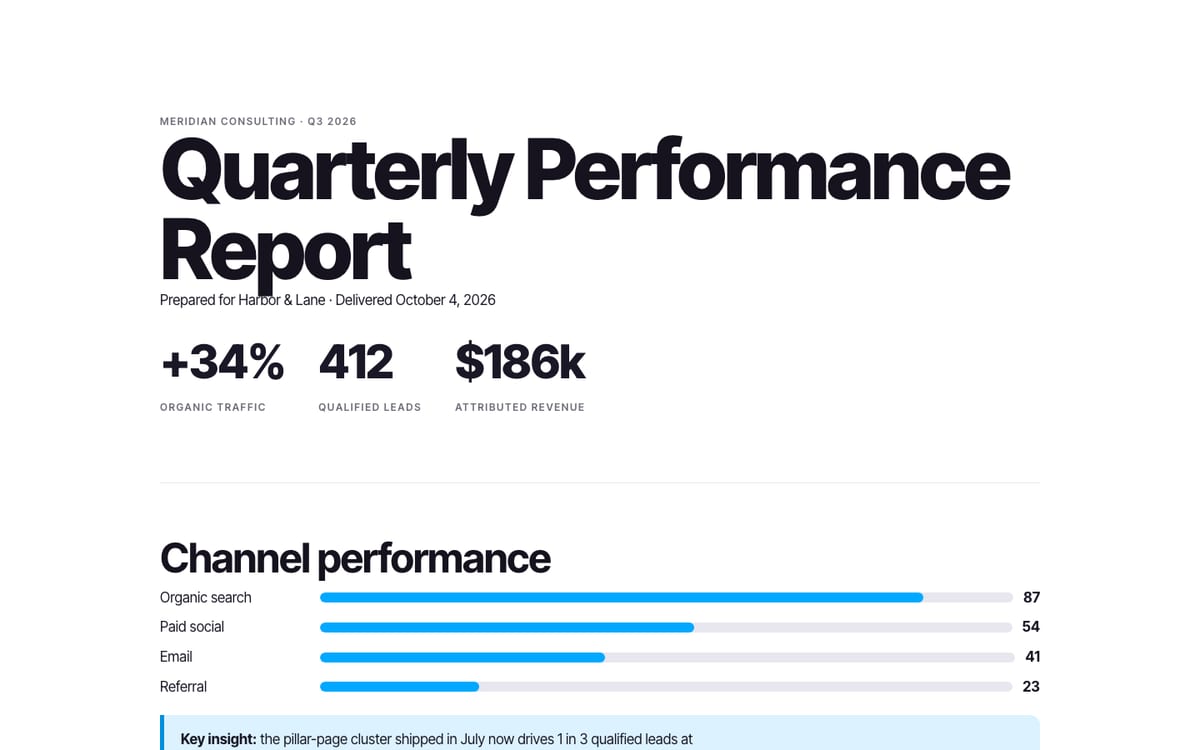
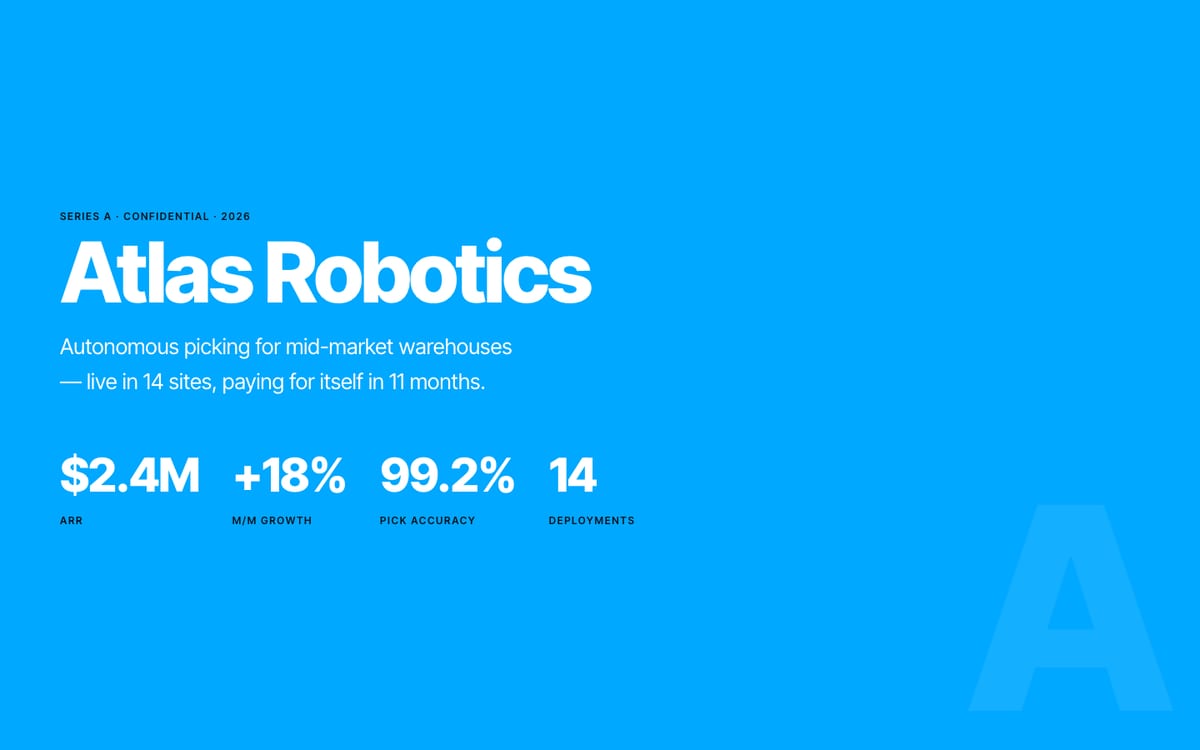
- You'd rather send a beautiful, mobile-responsive web page than a PDF in a viewer frame.
Choose DocSend if…
- Page-by-page engagement on PDFs is decisive for you — DocSend's per-page time-spent analytics on uploaded files is its core strength, and ReportRoom doesn't track time-per-page.
- You need e-signature in the same tool (Dropbox Sign integration; unlimited from the Standard tier).
- You need NDA gating or dynamic watermarking on shared files today — DocSend's Advanced tier has both; ReportRoom's room access control is email/passcode-based, and NDA click-through is on the roadmap, not shipped.
- Your workflow is genuinely file-based — you share existing PDFs, PowerPoints, and videos as-is and don't want them re-published as web pages.
Side by side
| Feature | ReportRoom | DocSend |
|---|---|---|
| Free plan | Yes — 10 live documents, analytics included | No free plan; 14-day trial |
| Paid entry price | $9.99/mo flat (Pro; $8/mo annual) | $15/user/mo (Personal; $10 annual) |
| Standard team tier | $19/seat/mo (Team; $15 annual), unlimited documents | $65/user/mo (Standard; $45 annual) |
| Data rooms | $59/mo (Business), 3 seats included, then $25/seat | $180/mo (Advanced Data Rooms), 3 users included, then ~$90/user |
| What the viewer opens | A designed, responsive live web page | A PDF/Office file in a viewer frame |
| Content types | Markdown or HTML, rendered as web decks/reports | PDF, PowerPoint, Word, Keynote, video & audio files — no web pages |
| View analytics | Daily view counts on every plan, incl. Free; per-viewer analytics in data rooms | Per-visit log with time spent per page; advanced reporting on higher tiers |
| Publishing | One API/MCP call, or the dashboard | Manual upload (no public API; Zapier triggers only) |
| AI-agent integration | 23 MCP tools (publishing & analytics on every plan; data-room tools require Business) | None |
| Access control | Public or team-only docs; rooms: per-viewer email grants + passcodes | Passcodes, email capture, expiry, download toggle; email verification, NDA gating & watermarking on Advanced |
| Update a shared link | Yes — re-publish the same slug | Yes — new version behind the same link |
| Custom domain | Team plan and up | Advanced plan and up |
| E-signature | No | Yes (Dropbox Sign; ~4/mo on Personal, unlimited from Standard) |
What each product actually is
DocSend is a file-sharing product: it hosts the files you already have — PDF, PowerPoint, Word, Keynote, even video up to 2 GB — and wraps them in a tracked viewer with link controls. It does not host web pages, and it does not have a public API; automation goes through Zapier triggers (new visit, new link) that fire on events but can't create or update content.
ReportRoom is a publishing layer: you send Markdown or HTML — from a dashboard, a script, or an AI agent over MCP — and it returns a designed, mobile-responsive web page on your subdomain (or custom domain), instrumented with cookieless view analytics. It is not a PDF host: existing PDFs don't get uploaded as-is — their content gets re-published as a live page (viewers can still export to PDF when you need a file artifact). If your sharing workflow is "attach this exact file", DocSend matches it better; if it's "get this content in front of someone, beautifully, and know if they read it", that's what ReportRoom is built for.
Analytics, in detail
Both products answer "did they read it?" — at different resolutions, in different places.
DocSend logs every visit with time spent per page of the file and sends real-time view notifications. If you want to know that an investor spent four minutes on your financials slide and ten seconds on the team page, that per-page depth on an uploaded deck is DocSend's home turf, and ReportRoom does not replicate it.
ReportRoom counts real page views (cookieless, asset requests excluded) and rolls them up daily; every plan, including Free, gets the numbers in the dashboard and over GET /v1/documents/:slug/analytics — which also returns a plain-language summary built to be relayed by an agent ("Q3 report got 47 views in the last 7 days, peaking Tuesday"). Viewer-level identity lives where identity actually exists: in data rooms (Business), where each viewer is admitted by email grant or passcode and gets per-viewer analytics — who entered, what they opened. On DocSend, identified viewers on ordinary links rely on email capture (self-reported) unless you're on the Advanced tier's verified email authentication.
Publish in one call
ReportRoom's entire publishing workflow is one HTTP call. Send Markdown (or your own HTML) and get back a live, tracked URL:
curl -X POST https://api.reportroom.io/v1/documents \
  -H "Authorization: Bearer rr_live_…" \
  -H "Content-Type: application/json" \
  -d '{
    "type": "report",
    "title": "Q3 Client Report",
    "content_format": "markdown",
    "content": "# Q3 results\n\nOrganic traffic +34%…"
  }'

# → { "url": "https://yourhandle.reportroom.io/q3-client-report", … }
Re-publishing the same slug updates the document behind the same link. For AI agents it's even shorter — connect the MCP server once and publishing becomes a sentence:
claude mcp add --transport http reportroom https://mcp.reportroom.io/mcpAfter that, "publish this analysis as a report and tell me tomorrow who read it" is a complete workflow: the agent calls publish, gets the URL, and later calls get_analytics, which returns daily view counts plus a plain-language summary written for agents to relay. 23 MCP tools cover publishing, design lint, images, data rooms, and analytics — publishing, images, and analytics work on every plan, including Free; the data-room tools require the Business plan.
What switching actually involves
An honest migration note, because the products store different things:
- New documents — start publishing them to ReportRoom immediately; a deck or report is one call or one paste away, and every new document gets a designed page instead of a file viewer.
- Existing PDFs — they don't port as PDFs. The content gets re-published: paste the source Markdown, or let an AI agent read the PDF and re-publish it as a web page in minutes. For a 10-deck library this is an afternoon, not a project — and the result is better-looking than what you migrated from.
- E-signature flows — ReportRoom doesn't replace them. If contracts-behind-links is part of your DocSend usage, keep that piece (or use any dedicated e-sign tool) and move the sharing/tracking piece.
- Links in the wild — old DocSend links keep working on DocSend; there's no way (in either product) to redirect them. Swap the link at the source — your email templates, your data-room index — and let old threads age out.
Pricing
DocSend's 2026 pricing (checked August 2026): Personal $15/user/mo ($10 billed annually), Standard $65/user/mo ($45 annually), Advanced $150/mo and Advanced Data Rooms $180/mo billed annually — the Advanced tiers include 3 users, then roughly $90/mo per additional seat, and there is no free plan. Feature gating matters as much as the sticker: email verification, NDA gates, and dynamic watermarking all sit in the Advanced tiers. ReportRoom: Free $0 (10 live documents, analytics included), Pro $9.99/mo flat, Team $19/seat/mo, Business — data rooms with per-viewer access and analytics — $59/mo with 3 seats included, then $25/seat.
Three scenarios, annual billing
| Scenario | ReportRoom | DocSend |
|---|---|---|
| Just starting — tracked links for a fundraise or client work | Free — $0 | $120/yr (Personal, annual billing) |
| 3-person team sharing tracked documents | Team: $45/mo ($15/seat annual) | Standard: $135/mo ($45/user annual) |
| Deal data room with 4 people on it | Business: $74/mo ($49 + one $25 seat) | Advanced Data Rooms: ~$270/mo ($180 + one ~$90 seat) |
FAQ
Is there a free DocSend alternative?
Yes. ReportRoom's Free plan hosts 10 live tracked documents with view analytics at $0, no card required. DocSend has no free plan — only a 14-day trial of its Advanced tier.
How much does DocSend cost in 2026?
Billed annually: Personal $10/user/mo, Standard $45/user/mo, Advanced $150/mo, Advanced Data Rooms $180/mo (3 users included, then about $90/mo per extra seat). Monthly billing runs higher: $15 and $65 on Personal and Standard. Email verification, NDA gating, and watermarking are Advanced-tier features.
Does DocSend have an API?
No public API. DocSend's automation surface is a Zapier integration with event triggers (new visit, new link created) — it can't create or update documents programmatically. ReportRoom is API-first: publish, update, unpublish, and read analytics over REST or MCP on every plan.
Can DocSend host web pages?
No — DocSend hosts files (PDF, Office formats, Keynote, video, audio) in a tracked viewer. ReportRoom is the inverse: it hosts designed live web pages rendered from Markdown/HTML, and doesn't host PDFs as-is (though any published page can be exported to PDF).
Does ReportRoom have data rooms like DocSend?
Yes — the Business plan ($59/mo, 3 seats included) adds data rooms with per-viewer email or passcode access, revocable grants, and per-viewer analytics, at roughly a third of DocSend's Advanced Data Rooms price. DocSend's rooms add NDA gating and watermarking, which ReportRoom doesn't have yet.
Does ReportRoom track time spent per page like DocSend?
No. ReportRoom counts real page views (cookieless) and reports daily totals per document plus per-viewer activity in data rooms. DocSend's per-page time-spent metric on uploaded files is a genuine DocSend strength — if that number decides for you, DocSend wins it.
What's the main difference between ReportRoom and DocSend?
DocSend tracks files you upload by hand. ReportRoom publishes designed live web pages — by hand or straight from an AI agent via MCP/API — and tracks those. If your decks and reports are generated by tools or agents, ReportRoom removes the export-upload-share loop entirely.
Can I use my own domain?
Yes, custom domains are included from the Team plan ($19/seat/mo). Every plan includes a yourhandle.reportroom.io subdomain. On DocSend, custom domains are an Advanced-tier feature.
Publish something beautiful in the next five minutes
10 tracked documents free, no card. Your first live URL is one call — or one paste — away.